Search docs
Search guides, terms and topics
Your First Competition
Your first competition is ready in just a few steps. All you need is a team account (see Create an Account).
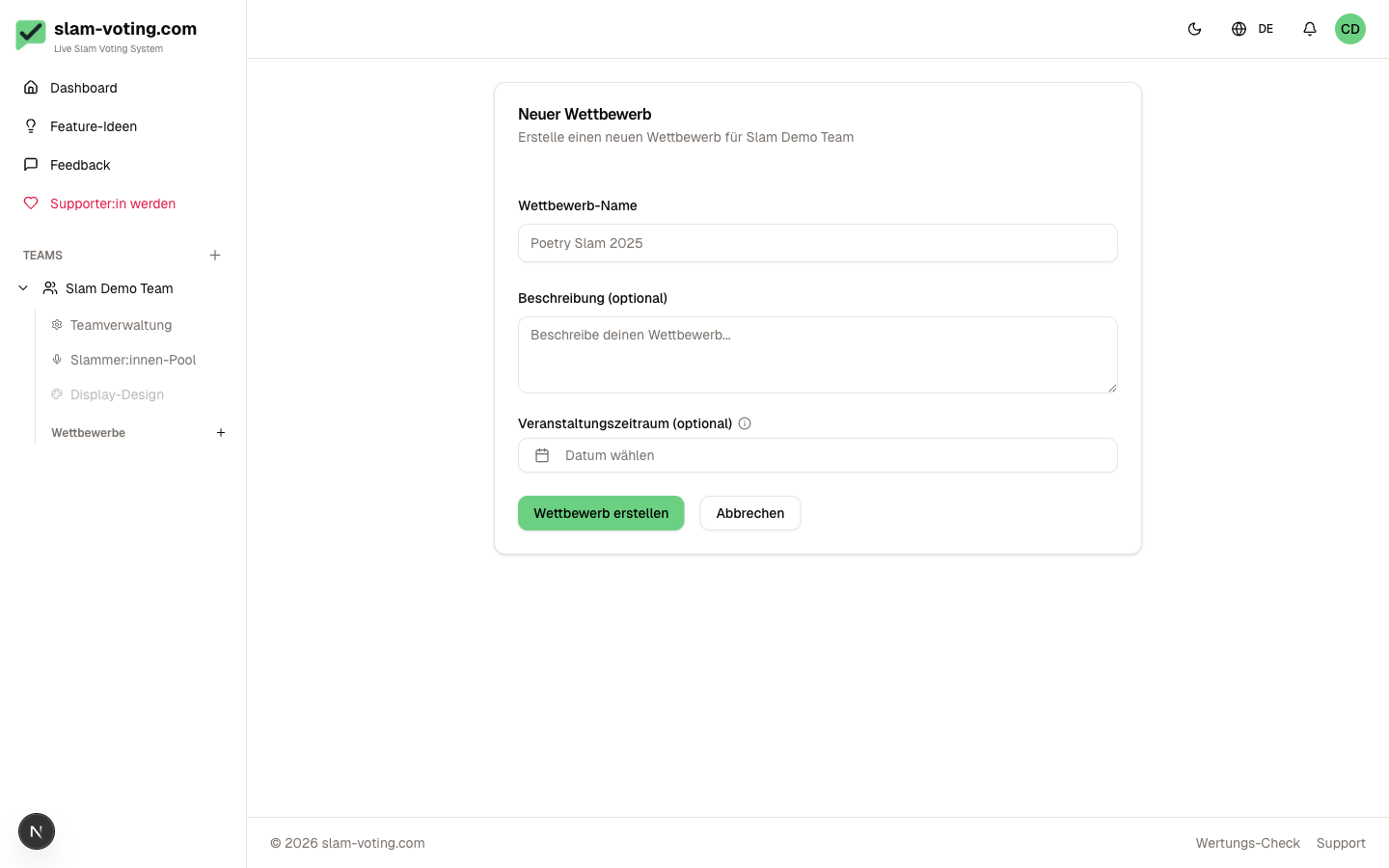
Create a Competition
- Open the Dashboard and select your team
- Click New Competition
- Choose a name (e.g. "City Championship 2026" or "Open Mic March")
- Optional: Set a date. This helps with organization but is not required.
Add Performers
Add the participants who will compete in your competition:
- Go to the Participants tab
- Click Add Participant
- Enter the stage name
You can also import performers from your performer pool, which saves time when the same people appear regularly.
Feature Guests
Some performances should not count toward the rankings (e.g. an honorary guest or a musical interlude). Mark these performers as feature guests. They are announced and scored normally but do not appear in the standings.
Configure a Round
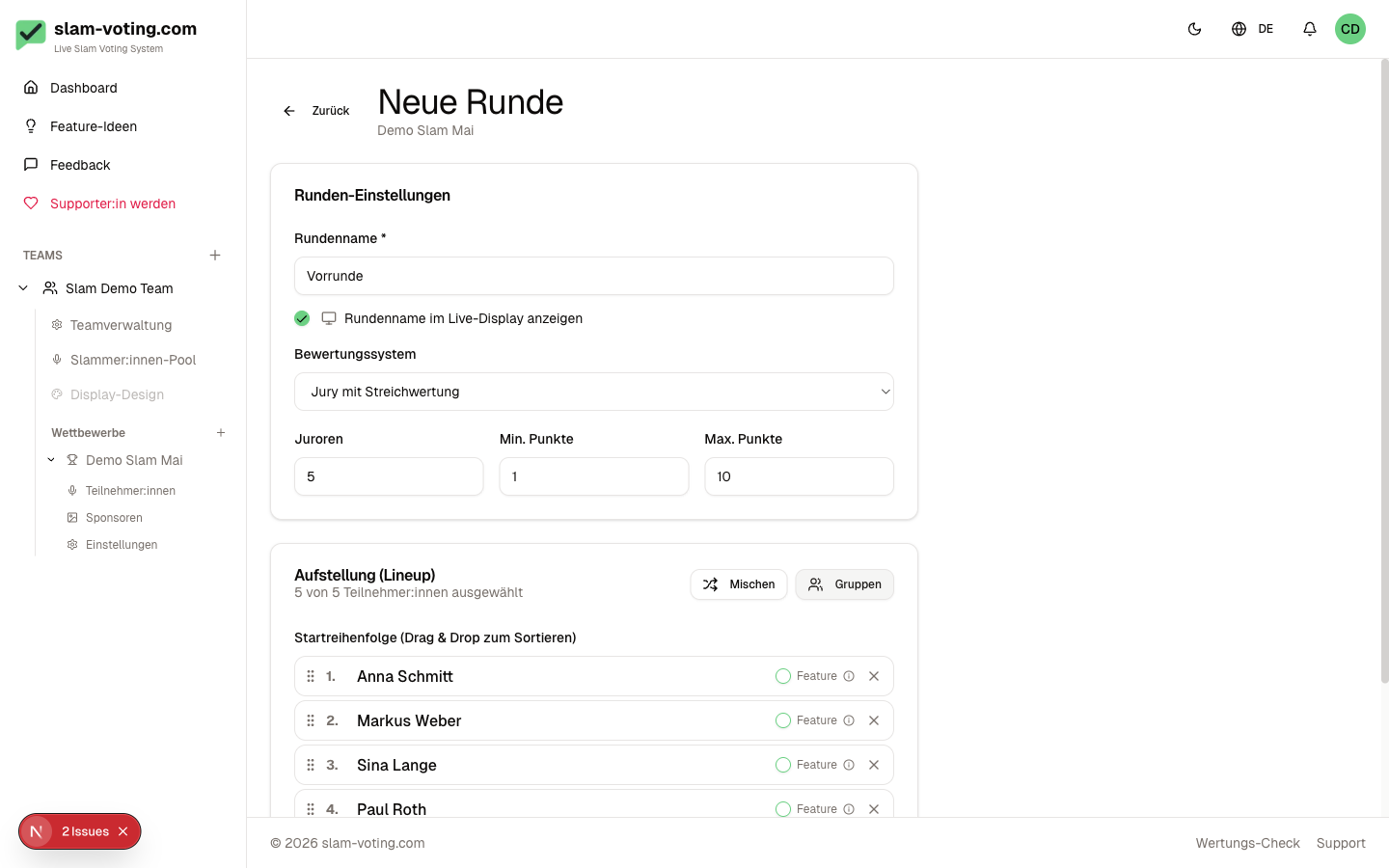
Every competition has at least one round. For each round you set:
Scoring Method
- Jury scoring: jurors assign scores (e.g. 1-10). Optionally with drop scoring.
- Applause ranking: the audience decides by applause. You rank the volume as a placement order.
Jury Settings (jury scoring only)
- Number of jurors: How many jurors score? (e.g. 5)
- Score range: minimum and maximum (e.g. 1 to 10)
- Drop scoring: optionally drop the highest and/or lowest score
Performance Order
Arrange the performers in the order they will perform. Use drag-and-drop or the arrow buttons.
Groups (Optional)
For large slams with many participants, you can divide a round into groups (e.g. a preliminary round with Group A, B, C). Each group has its own ranking, and you can set how many performers advance from each group.
Multiple Rounds
For competitions with a preliminary round and a final: simply create multiple rounds. The overall ranking is calculated automatically across all rounds.
Next Step
Competition set up? Then configure the live display so your audience can follow the results live.