Search docs
Search guides, terms and topics
Configure Rounds
Each round is an independent scoring unit within your competition. You decide how scoring works, who performs, and in what order.
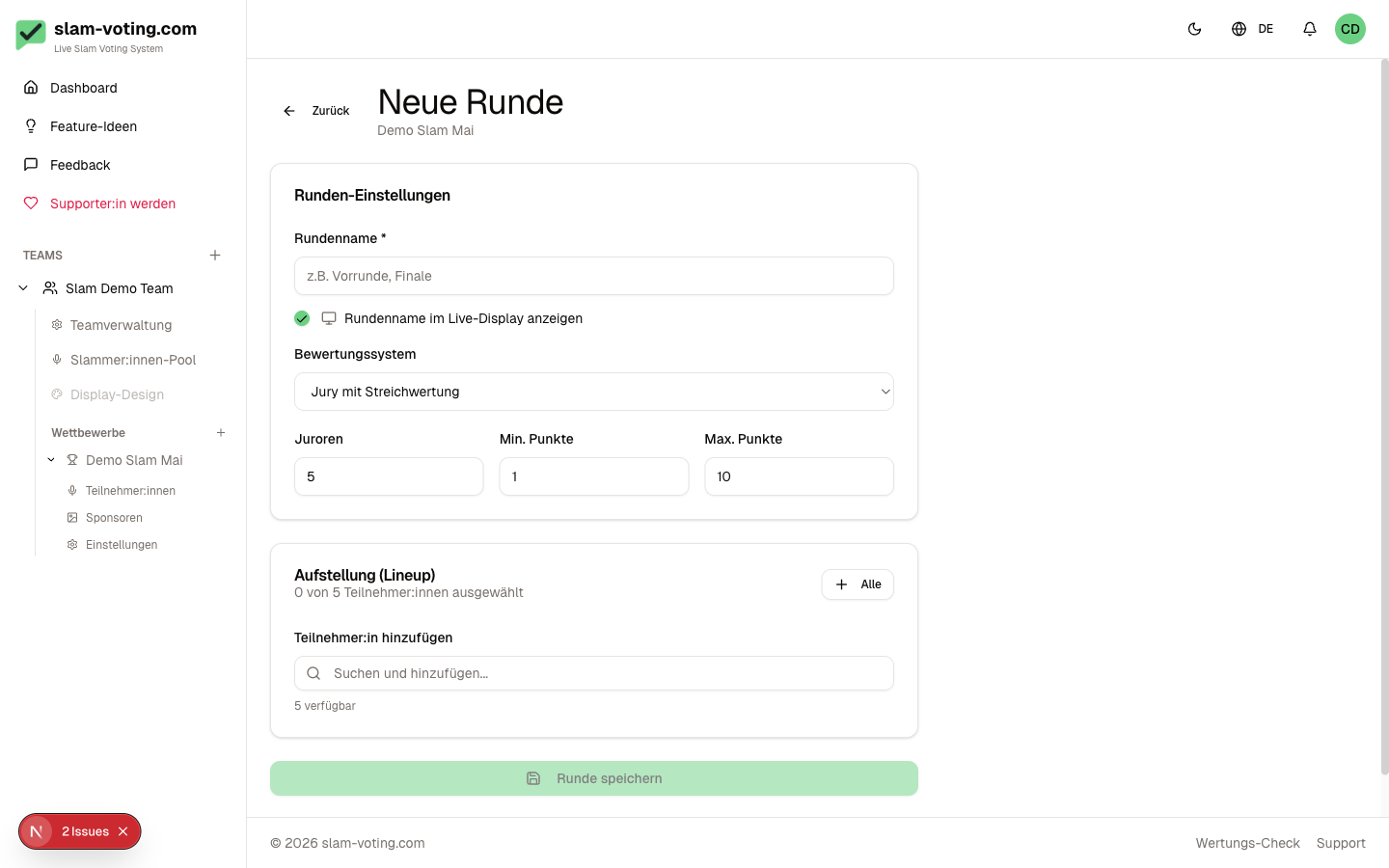
Create a Round
- Open the overview page of your competition
- Click New Round
- Configure the settings (details below)
- Set up the lineup
- Click Create Round
Choose a Scoring Method
You choose one of two methods per round:
Jury Scoring
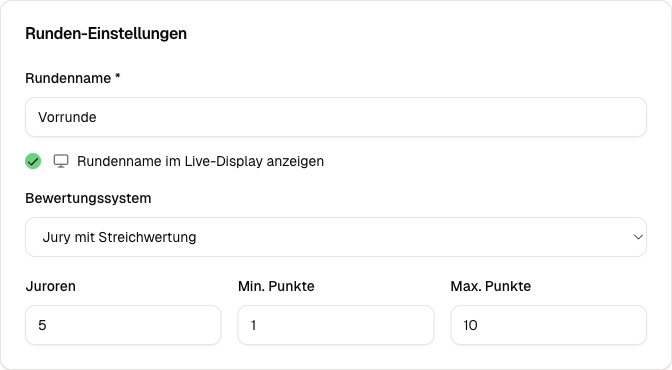
A fixed set of jurors assigns scores. You configure:
- Number of jurors, e.g. 5
- Score range, minimum and maximum (e.g. 1 to 10)
- Drop scoring: drop the highest and/or lowest score (optional, enabled by default)
More details: Jury Scoring
Applause Ranking
The audience decides by applause. You rank the performers by volume. No scores, just placements.
More details: Applause Ranking
Round Name and Display
Each round gets a name (e.g. "Preliminary", "Final"). Optionally, you can set whether the round name is shown on the live display.
Draft vs. Live
New rounds start in draft status. In this state, you can freely edit everything: change the lineup, switch the method, configure groups.
Once you go live with the round, a display PIN is generated and live scoring can begin. In live status, the lineup and scoring method are locked.
Multiple Rounds and Overall Ranking
A competition can have any number of rounds (e.g. preliminary, semifinal, final). Each round has its own scoring. Rounds are numbered automatically.
When you select the Overall Ranking or Final Overall Ranking screen on the live display, the system shows the combined results across all completed rounds.
Edit a Round
In draft status, you can change all settings. Click Edit on the competition overview page.
In live status, certain changes are restricted (e.g. scoring method, lineup order) to keep the ongoing scoring consistent.
Complete a Round
After scoring is finished, you can complete the round. This deletes the display PIN and marks the round as finished. The results are preserved, of course.