Search docs
Search guides, terms and topics
Create a Competition
A competition is the container for your event. It holds one or more rounds, the performers, and all results. You can create as many competitions as you like per team.
Create a New Competition
- Open your team dashboard
- Click New Competition
- Fill out the form (details below)
- Click Create
You are automatically redirected to the overview page of the new competition.
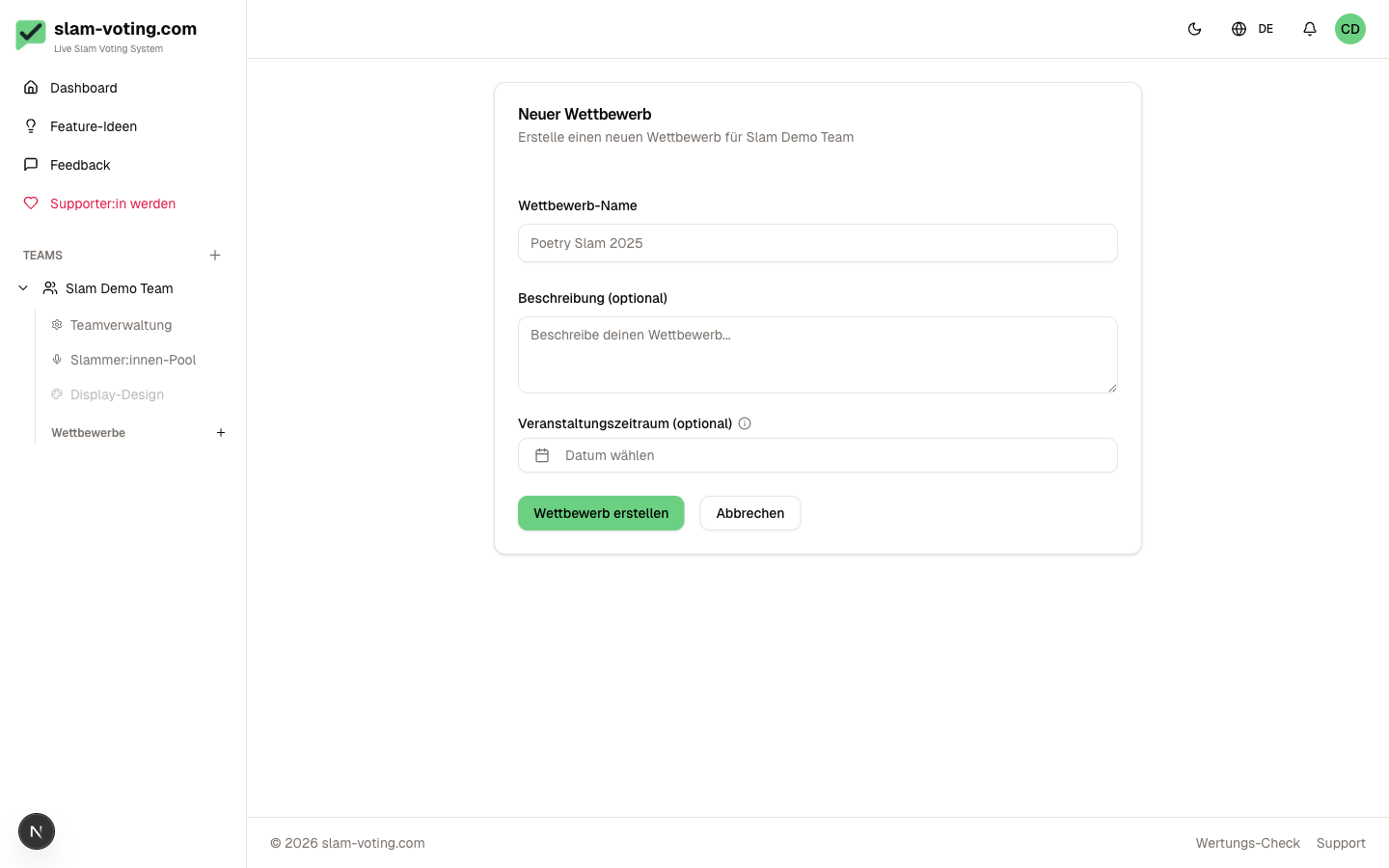
Required Fields
- Name (2-100 characters), e.g. "Poetry Slam Winter Special" or "School Slam 2026"
Optional Fields
- Description (max. 1000 characters): internal notes or hints for your team
- Event date: a single day or a date range (from/to). Displayed in the dashboard and overview
Slug
A slug is automatically generated from the name when creating the competition, e.g. "poetry-slam-winter-special". The slug is part of the public URL:
slam-voting.com/{team-slug}/{competition-slug}/{round-id}
You can change the slug later in the competition settings. Note that this will change all public links.
Password Protection
Optionally, you can protect a competition with a password. Audience members must then enter the password before they can see the live display. Useful for private events or rehearsals.
You activate password protection in the Competition Settings after creating the competition.
Editing Later
All fields can be changed at any time in the competition settings: name, slug, description, date, and password. Even ongoing competitions can be edited.
You can reach the settings via the gear icon on the competition overview page.
Next Step
Your competition is set up. Next, create the first round: Configure Rounds