Search docs
Search guides, terms and topics
Invite Members
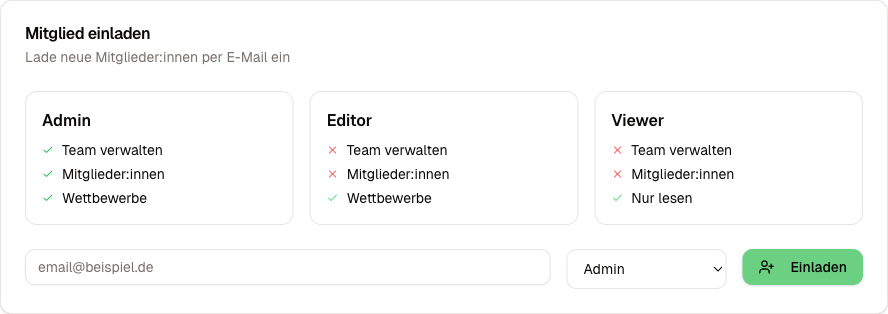
Owners and admins can invite new members to the team by email. The invited person receives an email with a link that is valid for 7 days.
Send an Invitation
- Open the Team Settings (gear icon in the team dashboard)
- Scroll to the Invite Members section
- Enter the person's email address
- Select the desired role (Admin, Editor, or Viewer)
- Click Invite
The person immediately receives an email with an invitation link. After clicking the link, they are added to the team. If they do not have an account yet, they are redirected to the registration page and automatically assigned to the team afterward.
Pending Invitations
Below the invitation form, you can see all open invitations with email address, role, and expiration date. You can revoke pending invitations at any time by clicking the X icon.
Change a Role
Owners and admins can change the roles of existing members at any time. Click the role badge next to the name and select the new role from the dropdown.
Restriction: The owner role cannot be assigned via the dropdown. To change the owner, use the owner transfer function.
Remove a Member
Owners and admins can remove other members from the team (except the owner). Click Remove on the member card. The person immediately loses access to all team data.
Important: Removing a member does not delete any competitions or data that person created. Everything stays with the team.
Leave a Team
Any member (except the owner) can leave a team on their own. The button is located in the team settings under Leave Team.
As the owner, you cannot leave the team. You must first transfer the owner rights to another member. More on this under Team Settings.
Good to Know
- An email address cannot be invited twice while an open invitation already exists
- Invitation links expire after 7 days. After that, a new invitation must be sent
- Every team member can see all competitions in the team. Restricting access to individual competitions is not currently available