Jury Scoring
Jury scoring is the classic scoring system for poetry slams. A fixed number of jurors assigns scores, and the system automatically calculates the sum after dropping scores and the rankings.
Setup
When creating a round, select Jury Scoring and configure:
- Number of jurors, e.g. 5 jurors
- Score range, minimum and maximum (e.g. 1 to 10)
- Drop scoring: the active jury input drops one highest and one lowest score
Drop Scoring
Drop scoring is a proven method to balance out outliers:
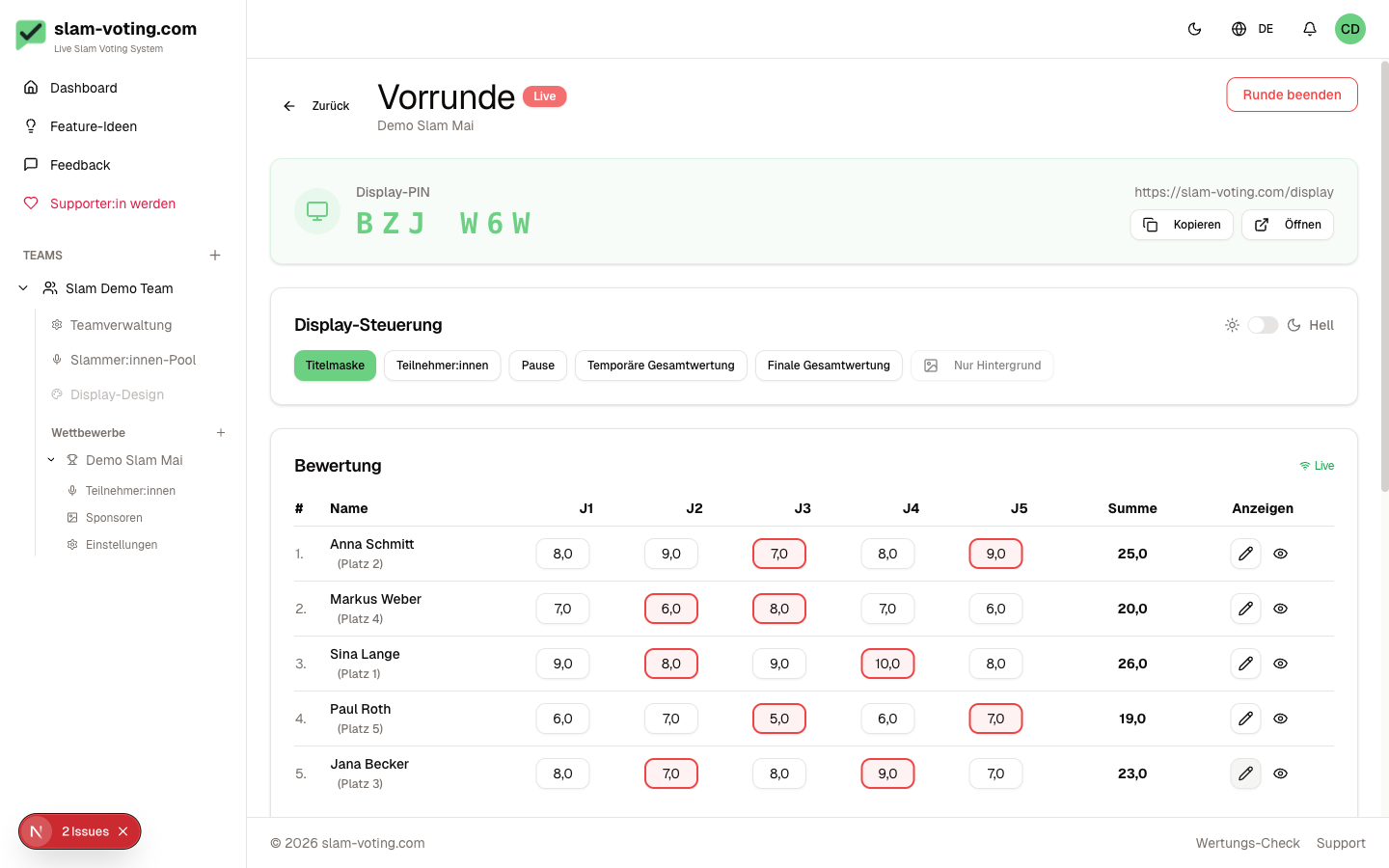
The active jury input drops one highest and one lowest individual score. The remaining scores are added together.
Dropped scores are shown with a strikethrough on the display so the audience can follow the process.
Live Entry
During the event, you enter scores live:
- Open the live view of your round
- Select the current performer
- Enter the scores per juror (J1, J2, J3, ...)
- The final score is calculated automatically
Faster Entry with TAB ↹
Press TAB ↹ to move to the next score field, or Shift + Tab to go back. If you repeatedly select score fields with the mouse while entering scores, a short blue keyboard tip appears in the top-right corner. It appears at most once an hour per account and browser. Once you use Tab between score fields, the automatic tip stays off in that browser. It is not shown on touch devices.
Coordinate Score Entry
Use only one active score-entry view. An automatic lock against simultaneous edits by multiple people is not currently active. Additional devices can open the public display.
Score Calculation
The final score is calculated as follows:
- All juror scores are collected
- One highest and one lowest score are dropped
- The sum of the remaining scores is the final score
Example
5 jurors give: 7, 8, 6, 9, 7
Drop 9 and 6. The remaining scores 7, 8 and 7 add up to 22 points.
Locking Scores
After all jurors have submitted their scores, you can lock the performance and show the total. To make a correction, choose Edit, change the scores, then lock the performance again.
Ties
If two or more performers have exactly the same final score, a warning automatically appears with options for a tiebreaker.